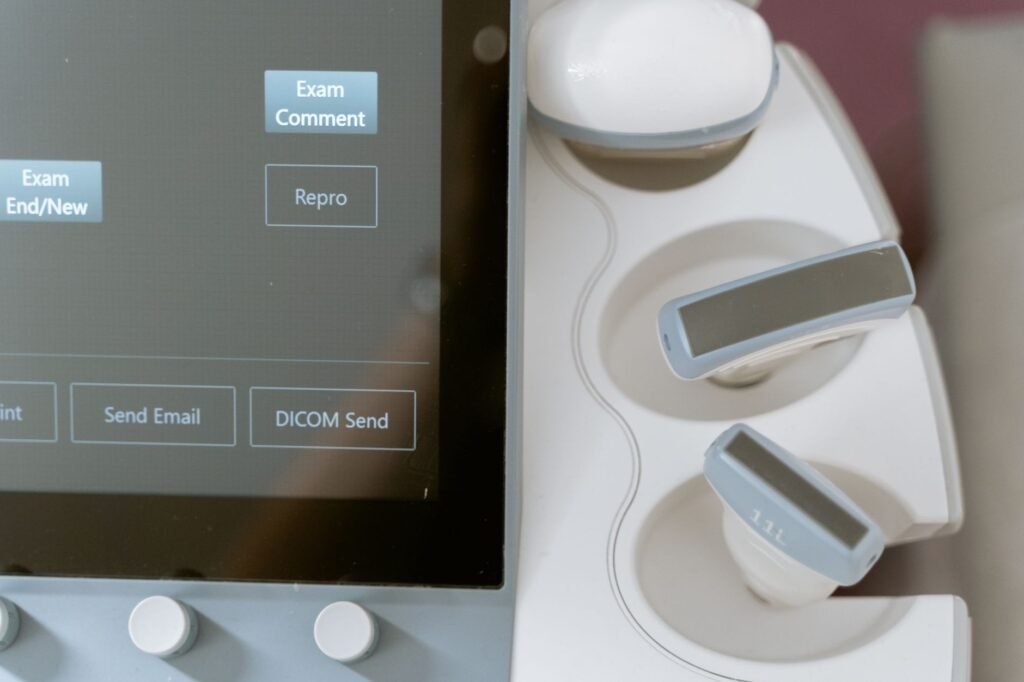
Why Integrating Clinic Software with a LIMS Matters
Running a modern healthcare practice means juggling patient appointments, billing, electronic health records, and the laboratory side of things. When the clinic software and the laboratory information management system (LIMS) operate in silos, data must be entered twice, errors creep in, and turnaround time suffers. By linking your clinic software directly to a LIMS, you create a single source of truth for patient and specimen data, reduce manual transcription, and improve compliance with quality standards.
Key Benefits of a Seamless Connection
- Elimination of duplicate entry – Test orders flow automatically from the clinic front‑end to the lab back‑end.
- Real‑time status updates – Clinicians see specimen receipt, processing, and results without logging into a separate portal.
- Improved accuracy – Validation rules in the lab management system catch mismatched IDs, wrong specimen types, or missing consent forms before the sample is processed.
- Faster reporting – Results are pushed back to the clinic software instantly, allowing doctors to make timely decisions.
- Audit readiness – A unified audit trail records who ordered what, when, and how the result was delivered.
Step‑by‑Step Guide to Integrating Clinic Software with a LIMS
1. Map Your Data Elements
Start by listing every data field that travels between the two systems. Typical elements include:
- Patient identifier (medical record number)
- Visit number or encounter ID
- Specimen type and collection date
- Ordering clinician ID
- Test codes (e.g., LOINC or internal catalog numbers)
- Result values and units
Document the exact format each system expects – for example, whether dates use ISO 8601 (YYYY‑MM‑DD) or a local convention. This mapping prevents conversion errors later on.
2. Choose the Right Integration Method
Most modern clinic software and LIMS platforms support one or more of the following interfaces:
- RESTful APIs – Ideal for real‑time, bidirectional communication. Look for endpoints such as
/ordersand/results. - HL7 v2 messages – The traditional standard for lab orders (ORM) and results (ORU). If both systems already speak HL7, you can use a message broker to translate and route traffic.
- FHIR resources – Growing in popularity for health data exchange. The
DiagnosticReportandServiceRequestresources map cleanly to LIMS functions.
Pick the method that aligns with the capabilities of both systems and the skill set of your IT team. For many small and medium businesses, a REST API with JSON payloads offers the simplest path to implementation.
3. Build a Secure Middleware Layer
Direct connections expose each system to the other’s network. A thin middleware service acts as a gatekeeper, handling:
- Authentication – OAuth 2.0 or API keys, never plain text passwords.
- Data validation – Enforce the mapping rules you defined in step 1.
- Error handling – Return clear messages when a test code is unknown or a patient ID does not exist.
- Logging – Record every request and response for troubleshooting and compliance.
Owdoz specializes in creating lightweight middleware that runs on cloud platforms or on‑premises, depending on your security policy. Their developers can set up automated retries for transient network failures, ensuring that no order is lost.
4. Implement Real‑Time Validation Rules
Before a test order leaves the clinic software, the middleware should verify:
- That the patient exists in the lab management system.
- That the requested test is available for the specimen type.
- That any required pre‑conditions (fasting status, consent) are met.
If a rule fails, the system returns a concise error to the clinician’s screen, allowing immediate correction. This proactive approach cuts the number of rejected specimens dramatically.
5. Set Up Result Pushback
When the LIMS finalizes a result, it should POST the data back to the clinic software. Include:
- Result value and reference range
- Units of measure
- Timestamp of verification
- Signature of the verifying technologist (if required by your quality policy)
The clinic software then updates the patient’s record and triggers any configured alerts – for example, a high‑potassium result could prompt an automatic notification to the ordering physician.
6. Test End‑to‑End Scenarios
Before going live, run a series of test cases that cover:
- Standard order and result flow
- Invalid patient ID
- Unsupported test code
- Network outage simulation
- Concurrent orders for the same patient
Document the expected outcome for each case and verify that the middleware logs match. Automated regression tests can be scheduled to run nightly, catching future changes that might break the integration.
7. Train Staff and Document the Workflow
Even the best technical solution fails without user adoption. Provide short video tutorials that show:
- How to place an order in the clinic software
- What error messages look like and how to resolve them
- Where to find lab results in the patient chart
Maintain a living document that lists the integration touch points, support contacts, and escalation procedures. This reference becomes invaluable when a new employee joins the team.
Common Pitfalls and How to Avoid Them
Missing data mapping – Skipping a field like specimen collection time can cause the LIMS to reject the order. Use a checklist during step 1 and validate each field with sample data.
Hard‑coded endpoints – Embedding URLs in the clinic software makes future migrations painful. Keep all endpoints in a configuration file managed by your middleware.
Insufficient security – Transmitting patient data without encryption violates basic privacy principles. Enforce TLS 1.2 or higher on all API calls, and rotate API keys every 90 days.
Neglecting version control – Both clinic software and LIMS vendors release updates. Track API version numbers and set up alerts for deprecation notices.
Why Choose Owdoz for Your Integration Project
Owdoz has a proven track record of delivering custom IT solutions for healthcare providers of all sizes. Their team understands the nuances of clinic software, LIMS platforms, and the regulatory landscape that governs lab data. By partnering with Owdoz, you gain access to:
- Experienced developers who can write clean, documented middleware code.
- Project managers who keep the integration timeline on track and within an indicative budget of $8,000 – $15,000 USD.
- Ongoing support plans that include monitoring, security patches, and quarterly performance reviews.
The result is a reliable, scalable connection that eliminates lab errors and frees your staff to focus on patient care.
Next Steps for Your Practice
Start by auditing the data fields used in your current clinic software and LIMS. Then, schedule a discovery call with a technical consultant who can outline the integration roadmap tailored to your environment. With the right plan in place, you’ll see a measurable drop in specimen re‑work, faster result delivery, and higher satisfaction among clinicians and patients alike.
Ready to modernize your lab workflow and say goodbye to manual entry errors? Contact Owdoz today to