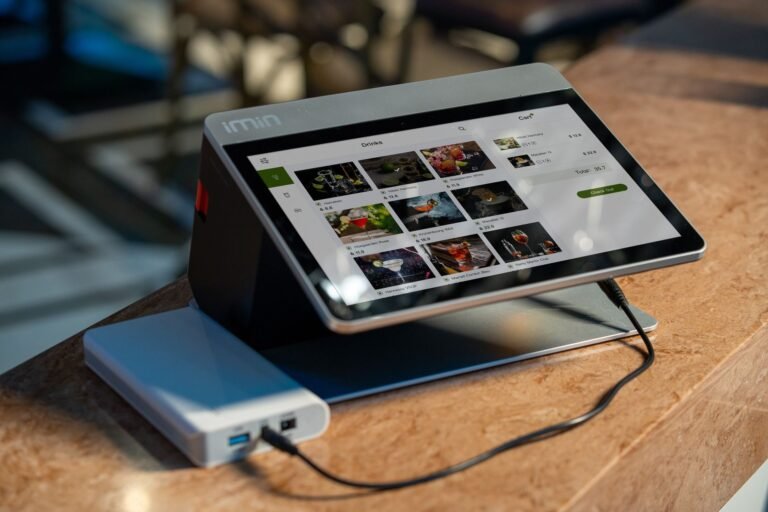

Why Real‑Time Inventory Matters for Your POS Software
When a customer asks for a product that isn’t on the shelf, the experience is instantly damaged. Those missed sales are called stockouts, and they cost businesses more than just the immediate loss of revenue. Modern point‑of‑sale (POS) software can do more than ring up transactions; it can become the brain that drives inventory management in real time. By linking POS data directly to stock levels, you gain instant visibility, can react to demand spikes, and keep shelves stocked without over‑ordering.
Common Pitfalls That Lead to Stockouts
Even the most diligent shop floor staff can’t prevent every stockout if the underlying systems are disconnected. Here are the three most frequent causes:
- Manual data entry errors: When sales are entered by hand, a single typo can throw off the entire inventory count.
- Delayed updates: If the POS only syncs at the end of the day, you’re always working with yesterday’s numbers.
- Lack of demand forecasting: Without real‑time trends, you can’t anticipate seasonal spikes or promotional surges.
Addressing these issues starts with an integrated solution that ties POS software to inventory management in a single, live feed.
Step‑by‑Step Guide to Integrating POS with Real‑Time Inventory
1. Choose a POS Platform That Offers Open APIs
Open Application Programming Interfaces (APIs) let your inventory system talk to the POS without custom code for every new feature. Look for a solution that publishes clear API documentation, supports webhooks for instant notifications, and provides SDKs for popular programming languages. This foundation saves you from costly middleware later.
2. Map Your Product Catalog Across Systems
Every SKU in your inventory database must have a matching identifier in the POS. Use a unique product code—such as a barcode or SKU—that never changes. Run a one‑time reconciliation script to flag mismatches, then set up an automated process that adds new items to both systems simultaneously.
3. Enable Real‑Time Stock Updates via Webhooks
When a sale occurs, the POS should fire a webhook event that includes the SKU, quantity sold, and timestamp. Your inventory management software consumes this event and subtracts the sold quantity from the on‑hand count instantly. Likewise, when you receive a purchase order, a second webhook adds the received units. This bidirectional flow eliminates the need for nightly batch jobs.
4. Implement Threshold Alerts
Configure low‑stock alerts based on a safety stock level that reflects lead time and demand variability. For example, if you normally receive a product within three days and sell an average of 10 units per day, set the alert at 30 units plus a buffer of 10 percent. When the count drops below this level, the system can automatically generate a purchase order or send an email to the purchasing manager.
5. Use Predictive Analytics to Fine‑Tune Reorder Points
Advanced inventory modules can analyze historical sales data from the POS to predict future demand. By feeding this insight back into the reorder algorithm, you reduce both stockouts and excess inventory. Many cloud‑based solutions offer built‑in forecasting tools that require no additional coding.
6. Test the Integration in a Sandbox Environment
Before going live, run a series of simulated transactions. Verify that each sale updates inventory instantly, that alerts fire at the correct thresholds, and that purchase orders are generated accurately. Document any latency issues; a delay of more than a few seconds can still cause problems during high‑traffic periods.
Practical Tips for Ongoing Success
- Regularly audit the SKU mapping to catch any newly added items that might have slipped through the automated process.
- Schedule a weekly review of low‑stock alerts to ensure the safety stock levels remain appropriate as supplier lead times change.
- Train staff to scan items at the point of sale rather than typing codes, which reduces entry errors dramatically.
- Consider a mobile app for inventory counts that syncs directly with the same API, giving floor staff a way to adjust counts on the spot.
- Keep an eye on API version updates from your POS provider; a deprecated endpoint can break the integration without warning.
How Owdoz Can Help You Build a Seamless Integration
Owdoz specializes in creating custom IT solutions for small and medium businesses that need reliable, scalable integration between POS software and inventory management. Our team of senior developers has built end‑to‑end pipelines for retailers across multiple industries, ensuring that data flows instantly and securely. We can assess your current systems, design the API connections, and set up automated alerts that keep you ahead of stockouts.
Because we work with cloud‑first technologies, the solution we deliver is easy to maintain and can grow as your product catalog expands. Whether you need a quick proof of concept or a full‑scale deployment, Owdoz tailors the approach to fit your budget, with typical project costs ranging from $5,000 to $15,000, depending on complexity.
Take the Next Step Toward Zero Stockouts
Integrating your POS software with a real‑time inventory system is no longer a luxury; it’s a competitive necessity. By following the steps outlined above and partnering with an experienced provider, you can eliminate the guesswork that leads to stockouts, improve cash flow, and deliver a smoother experience for every customer.
Ready to transform your sales floor into a data‑driven operation? Contact Owdoz today to discuss how we can design and implement a real‑time POS‑inventory integration that fits your business perfectly.