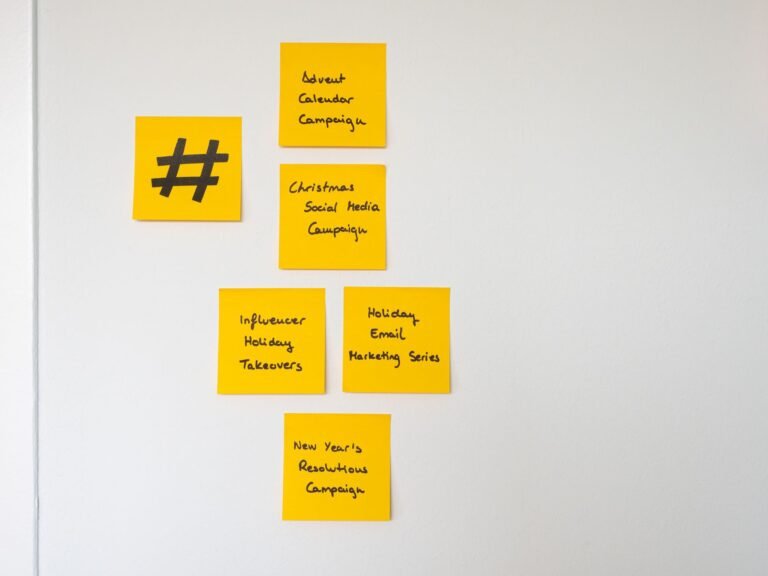
Why a Unified Content Calendar Matters for SEO and Google Ads
When you run both organic and paid campaigns, the two often feel like separate animals. In reality, they’re two sides of the same marketing engine. A well‑structured content calendar aligns the topics you write about, the keywords you target, and the ad copy you spend money on. The result? Less duplicated effort, clearer messaging, and a stronger signal to search engines that your site is an authority on the subjects you cover.
Step 1: Map Your Business Goals to Content Themes
Start by listing the top three to five objectives for the next quarter—lead generation, brand awareness, product launches, or customer education, for example. For each goal, brainstorm themes that resonate with your audience. If lead generation is the focus, a theme could be “solving common IT challenges for SMBs.” If you’re promoting a new software feature, the theme might be “boosting productivity with automation.” Write these themes into the first column of your calendar.
Practical tip
- Use a spreadsheet or a dedicated tool like Airtable, ClickUp, or a simple Google Sheet.
- Reserve a separate row for “SEO KPI” and another for “Google Ads KPI” so you can track performance side‑by‑side.
Step 2: Conduct Keyword Research That Serves Both Channels
Keyword research is the bridge between SEO and paid search. Run a combined research session with your SEO specialist and your PPC manager. Identify high‑volume, low‑competition keywords for organic content and complementary high‑intent keywords for Google Ads. Group them by intent—informational, navigational, transactional—and assign each group to a calendar week.
Real‑world example
If “cloud backup for small business” ranks well organically, you can create a blog post around that phrase and simultaneously run a Google Ads campaign targeting the exact term. The ad copy can reference the newly published article, providing a consistent user experience from ad click to landing page.
Step 3: Sync Publishing Dates with Campaign Launches
Timing is everything. Align the date you publish a piece of content with the launch of a corresponding ad set. This ensures that the landing page is fresh, the SEO signals are strong, and the ad quality score benefits from relevance. Mark both the blog publish date and the ad start date in the same calendar cell to avoid accidental lag.
Checklist for synchronization
- Write and schedule the blog post at least one week before the ad goes live.
- Set up UTM parameters on the ad URLs that match the content’s tracking tags.
- Test the landing page on multiple devices before the launch day.
Step 4: Repurpose Content Across Formats
Don’t let a well‑researched article sit idle after its initial publication. Break it down into smaller assets that fuel both SEO and paid efforts:
- Infographics—great for visual backlinks and can be promoted via Google Display Ads.
- Short videos—perfect for YouTube ads and can be transcribed into a blog post for SEO value.
- Checklists or downloadable PDFs—use them as lead magnets in both organic search snippets and ad extensions.
By mapping each repurposed asset back to the original calendar entry, you keep the workflow transparent and the messaging consistent.
Step 5: Set Up a Feedback Loop Between SEO and Paid Teams
Data should flow both ways. After a campaign ends, pull the performance metrics from Google Ads (click‑through rate, conversion rate, cost per acquisition) and compare them with the SEO metrics (organic traffic, bounce rate, average time on page). Look for patterns:
- Keywords that perform well in ads but lag organically may need an on‑page SEO boost.
- Pages that rank high but have a low ad conversion rate could indicate a mismatch in ad copy or landing page relevance.
Update your calendar with new insights—perhaps a new blog post, a revised ad headline, or an A/B test on the landing page.
Step 6: Automate Where Possible
Manual updates can quickly become a bottleneck. Use automation tools to keep the calendar current:
- Zapier or Make (formerly Integromat)—automate the creation of calendar rows when a new keyword is added to your research sheet.
- Google Data Studio dashboards—pull SEO and Google Ads data into a single view that updates daily.
- Content management platforms like WordPress plugins that auto‑populate meta tags based on your calendar’s keyword column.
Step 7: Review and Iterate Monthly
Schedule a 30‑minute stand‑up at the end of each month. Review the calendar entries that moved from “planned” to “published” and assess the KPI columns. Celebrate wins (e.g., a 20 % increase in organic traffic from a new pillar post) and note any gaps (e.g., an ad group that overspent without conversions). Adjust the upcoming month’s themes, keywords, and ad budgets accordingly.
Owdoz: Your Partner for a Seamless Calendar Workflow
Implementing a unified content calendar can feel overwhelming, especially when you’re juggling multiple platforms and teams. That’s where Owdoz comes in. Our IT solutions include custom workflow automation, analytics integration, and a dedicated support team that can help you set up the calendar, connect it to your SEO and Google Ads accounts, and fine‑tune the process for maximum ROI.
Take the Next Step
Ready to turn your disjointed content efforts into a cohesive, performance‑driven engine? Contact the experts at Owdoz today. We’ll walk you through a tailored implementation plan, from initial strategy to ongoing optimization, and ensure your content calendar works hard for both SEO and Google Ads. Get in touch now and start seeing measurable results.