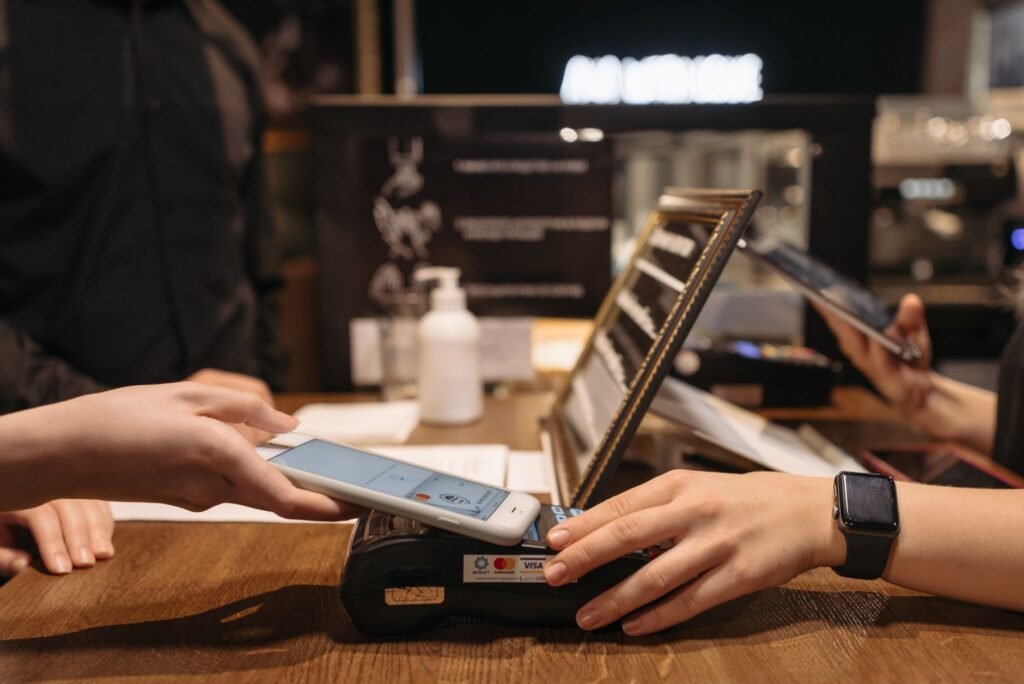
Why Integration Between POS and Inventory Matters
When you run a small or medium business, every transaction is a data point that can either streamline your operations or create hidden bottlenecks. A modern POS software that talks directly to your inventory management system eliminates the guesswork. Sales are recorded in real time, stock levels are adjusted automatically, and you gain a single source of truth for both front‑of‑house and back‑office decisions. The result? Fewer stock‑outs, reduced over‑stock, and more accurate financial reporting—all essential for scaling without losing control.
Key Features to Look for in a POS System
Real‑time sales integration
Choose a solution that pushes each sale to your inventory database the moment a transaction is completed. Look for webhooks, API endpoints, or built‑in sync engines that update product quantities, cost of goods sold (COGS), and revenue figures without manual intervention. Real‑time sync also enables instant alerts when stock drops below a safety threshold, allowing you to reorder before a customer walks away empty‑handed.
Unified product catalog
Maintain one master list of SKUs that is shared across the POS terminal, e‑commerce storefront, and any third‑party marketplaces you use. This prevents mismatched descriptions, duplicate items, or pricing errors. A unified catalog also simplifies reporting: you can slice sales by product, category, or supplier and see the exact impact on inventory levels.
Advanced reporting and analytics
Beyond basic sales receipts, the ideal POS software offers dashboards that combine sales data with inventory turnover, gross margin, and sell‑through rates. Look for customizable reports that can be exported to CSV or integrated with BI tools. These insights help you identify fast‑moving items, seasonality trends, and opportunities for bundle promotions.
Technical Considerations for Seamless Integration
API accessibility
Even if the vendor markets a “plug‑and‑play” experience, you’ll likely need to extend functionality down the line—whether that’s adding a loyalty program, connecting a new payment gateway, or syncing with a warehouse management system. Verify that the POS offers a well‑documented REST or GraphQL API, supports OAuth or token‑based authentication, and provides sandbox environments for testing.
Data security and compliance
All transaction data must be encrypted in transit (TLS) and at rest. Ensure the POS provider complies with industry‑standard security frameworks such as PCI DSS for payment data. While you won’t be referencing specific regulations, a reputable vendor will regularly publish security audits and offer role‑based access controls to limit who can view or edit inventory records.
Scalability and cloud architecture
Cloud‑based POS platforms typically handle spikes in traffic better than on‑premise installations. Look for solutions that auto‑scale compute resources and provide multi‑tenant isolation. If you anticipate growth—adding new locations or expanding online sales—choose a system that can add users and devices without a costly infrastructure overhaul.
Practical Steps to Evaluate and Implement
- Map your workflow. Document how a sale moves from the register to the inventory ledger, including any manual steps you currently perform.
- Test data sync. Request a trial or sandbox account and run a few transactions. Verify that stock levels update instantly and that reports reflect the changes accurately.
- Check integration points. List all third‑party tools you rely on (accounting, e‑commerce, shipping). Confirm that the POS offers native connectors or can be linked via Zapier, Integromat, or custom API scripts.
- Assess total cost of ownership. Compare subscription fees (often $50‑$150 per month for SMB‑grade POS software), implementation services, and any per‑transaction charges. Remember that a higher upfront price may be justified by reduced manual labor and fewer stock discrepancies.
- Plan a phased rollout. Start with a single location or a subset of product lines. Monitor key metrics—stock accuracy, order fulfillment time, and average transaction speed—before scaling to the entire operation.
Why Owdoz Is a Trusted Partner for Your POS Journey
Owdoz specializes in designing and integrating technology solutions that fit the unique needs of small and medium businesses. Our team of senior developers can help you evaluate POS options, set up secure API connections, and customize workflows so that inventory and sales data flow effortlessly. Whether you need a cloud‑native POS, on‑premise hybrid, or a bespoke integration with existing ERP tools, Owdoz brings the expertise to make the transition smooth and future‑proof.
Final Thoughts
Choosing a POS system that truly integrates inventory and sales data is not just a tech decision—it’s a strategic move that directly impacts your bottom line. Prioritize real‑time sync, robust APIs, and scalable architecture, and don’t underestimate the value of a partner who can tailor the solution to your business processes. With the right POS software in place, you’ll gain the visibility and efficiency needed to serve customers better and grow confidently.
Ready to streamline your sales and inventory operations? Contact Owdoz today to discuss a customized integration plan that aligns with your business goals. Our experts are eager to help you turn data into actionable insights.